accsys 2.0 · Now on Google Play

Your Hisab, On Your Phone. Private, Proper, Simple.

Write down what you gave, got or moved. accsys keeps correct books behind the scenes, so you always know your money in hand, who owes you, and whom you owe. Then send a clean statement on WhatsApp in one tap.

In Hindi or English. No sign-up, no mobile number, no permissions. Your books never leave your phone unless you send them.
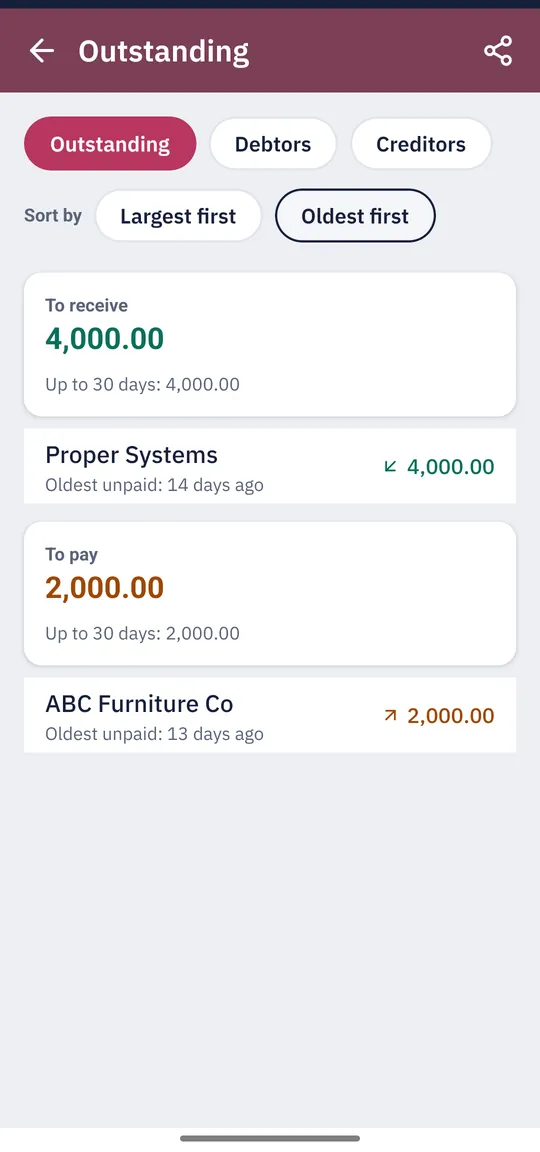
accsys Outstanding screen: 4,000 to receive and 2,000 to pay, with how many days each amount has been unpaid
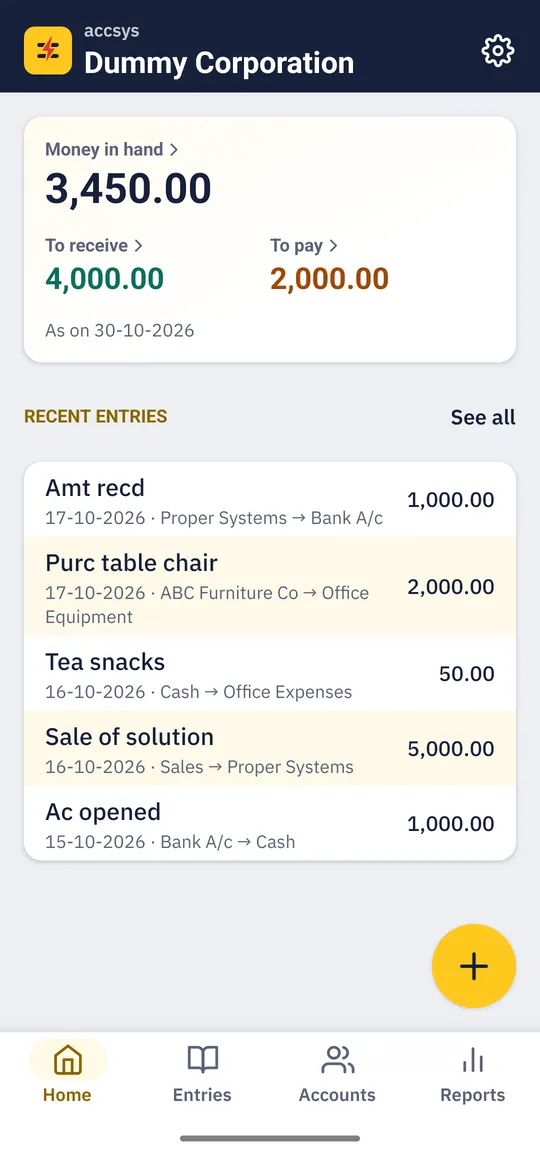
accsys Home screen with money in hand, to receive, to pay and recent entries
100% Offline
Works with no internet
Zero Permissions
No login, no mobile number
हिंदी + English
Everyday or accountant words
Share Anywhere
PDF, Excel, WhatsApp

Keeping Hisab Shouldn't Be This Hard

Three ways it usually goes wrong.

"Kitna baaki hai? Kab se?"

The diary says someone owes you, but not since when, and the page with the last payment is somewhere else. Every reminder turns into an argument.

Apps that want your number

Most khata apps start with a mobile-number login and keep your books on their servers. Your business is your business.

Accounting software is too much

Vouchers, ledgers, debit and credit: fine for an accountant, a lot to learn when you only want to know who owes what.

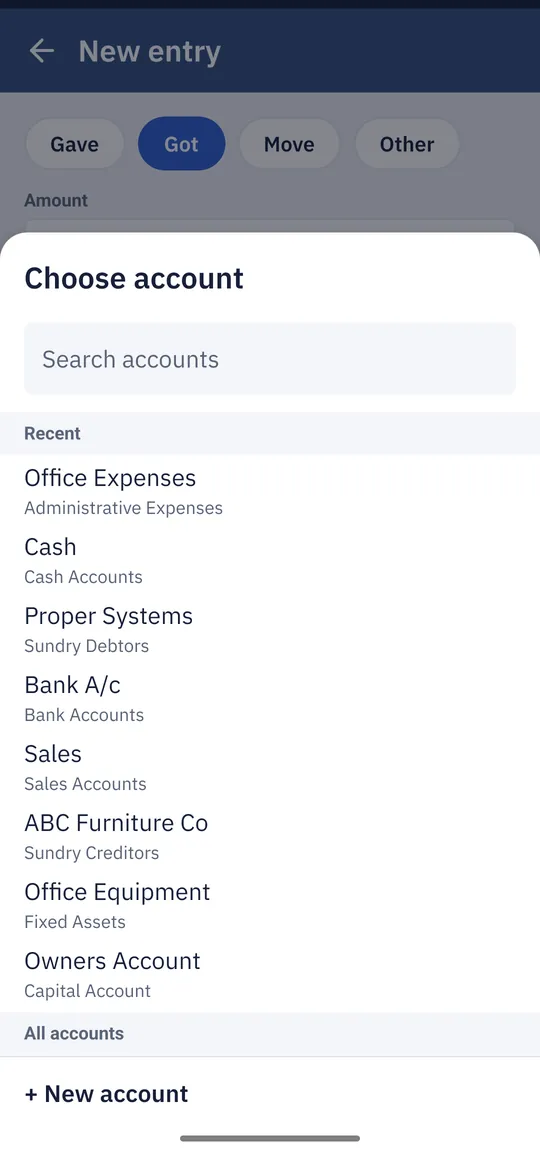
New entry screen with Gave, Got, Move and Other, and a searchable account list
Easy entries

Gave, Got or Move. That's the Whole Lesson.

Pick what happened, type the amount, choose the account. accsys turns it into a correct debit and credit for you, so your balances always add up, without you learning a single accounting rule.

  • ✓Search accounts as you type, with Cash and Bank and your recent parties first
  • ✓Add a new party without leaving the entry
  • ✓Save and add another, repeat an old entry, or edit any entry later
  • ✓Deleted by mistake? Tap Undo
Outstanding list sorted oldest first, with days unpaid for each party
Home screen totals: money in hand, to receive and to pay
Outstanding

Know Who Owes You, and Since When.

Home shows your money in hand, what you're owed and what you owe, as of today. Tap a figure for the full list. Every party shows how many days its oldest unpaid amount has been waiting, so you know whom to call first.

  • ✓Age of every due: up to 30, 31–60, 61–90 and over 90 days
  • ✓Largest first or oldest first, for debtors, creditors or both
  • ✓Advances shown separately, so they never hide what is really due
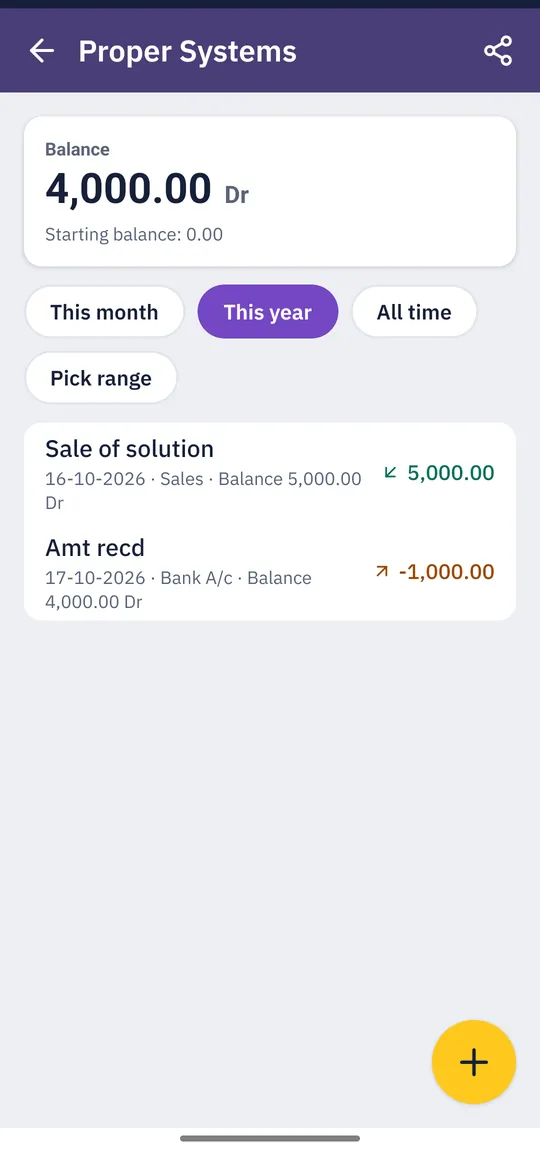
Account statement with balance and running balance on every line
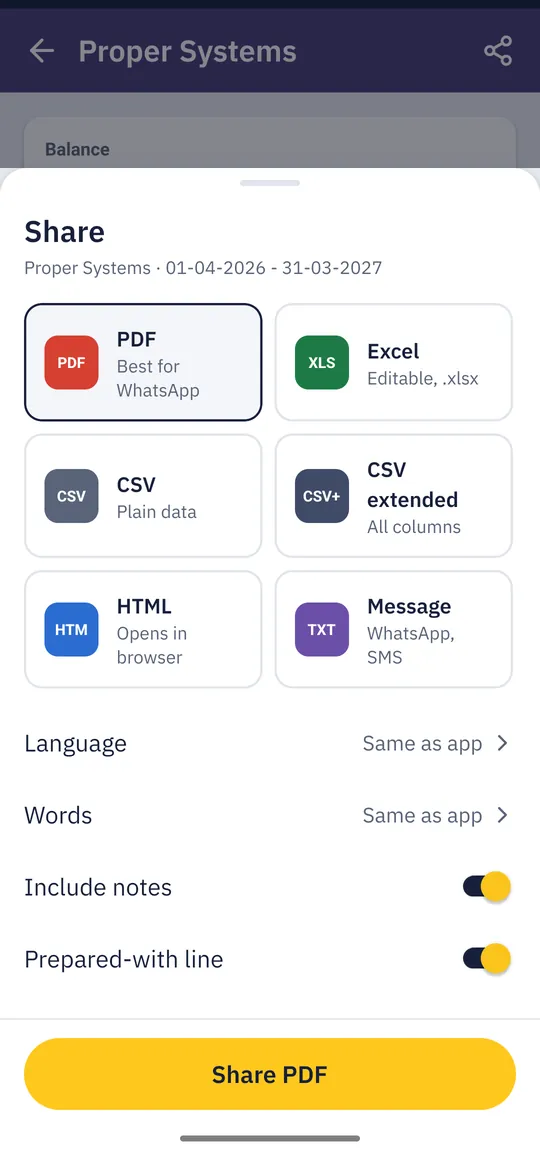
Share sheet with PDF, Excel, CSV, HTML and WhatsApp message options
Statements & sharing

A Statement Nobody Can Argue With.

Open any account for a clear statement with a running balance on every line, for this month, this year, all time or any dates you pick. Send it as a PDF on WhatsApp, or as a short message with the balance due.

  • ✓PDF, Excel, CSV, web page or text message, from any statement or report
  • ✓Day book of every entry, and a full list of balances
  • ✓Your business name on top of every shared statement
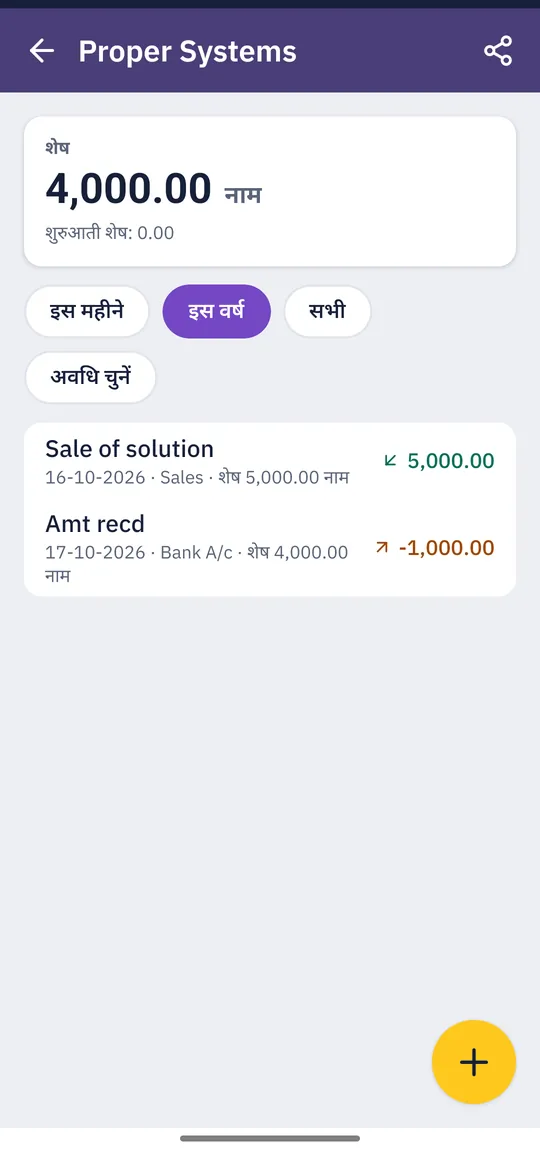
The same account statement in Hindi
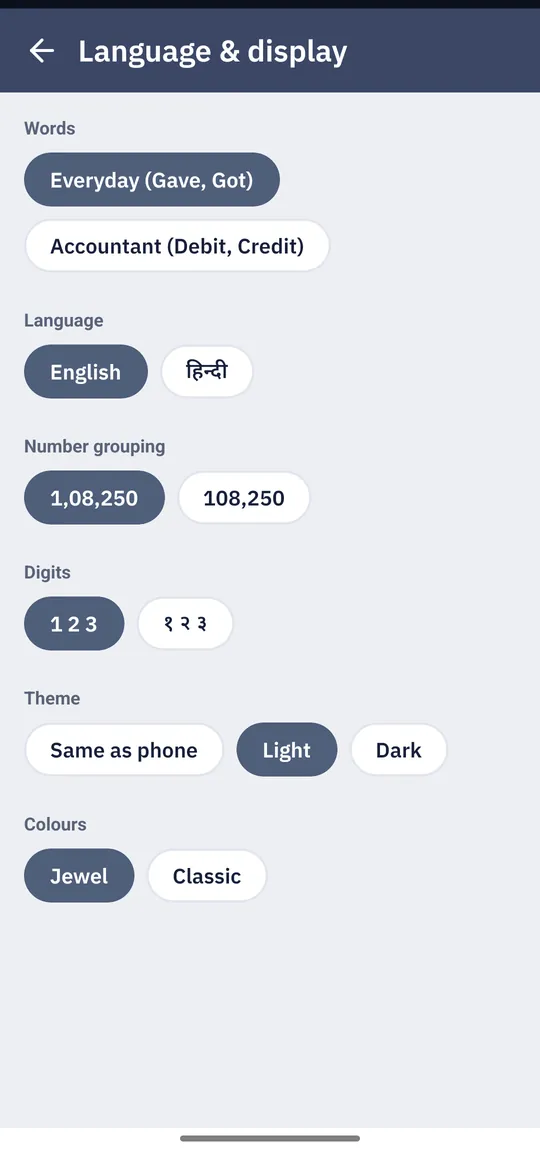
Language and display settings: Everyday or Accountant words, English or Hindi, digit grouping, theme and colours
Your language, your words

हिंदी or English. Everyday Words or an Accountant's.

Use the app in Hindi or English, and switch any time. Pick Everyday words (Gave, Got, To receive, To pay) or Accountant words (Payment, Receipt, Debit, Credit, Trial Balance). The books underneath are the same, so you and your accountant can both read them.

  • ✓Indian or international grouping (1,08,250 or 108,250) and Devanagari digits
  • ✓Share in either language, whatever language the app is in
  • ✓Light and dark themes, with two colour styles

From First Entry to Settled Account

Four tabs: Home, Entries, Accounts and Reports.

  1. 01
    Install
    Pick language and words
  2. 02
    Entry
    Gave, Got or Move
  3. 03
    Home
    In hand, to receive, to pay
  4. 04
    Outstanding
    Who owes, since when
  5. 05
    Share
    Statement on WhatsApp
  6. 06
    Back up
    Google or your own file
Privacy & backup

Your Books Stay Yours. And They Don't Get Lost.

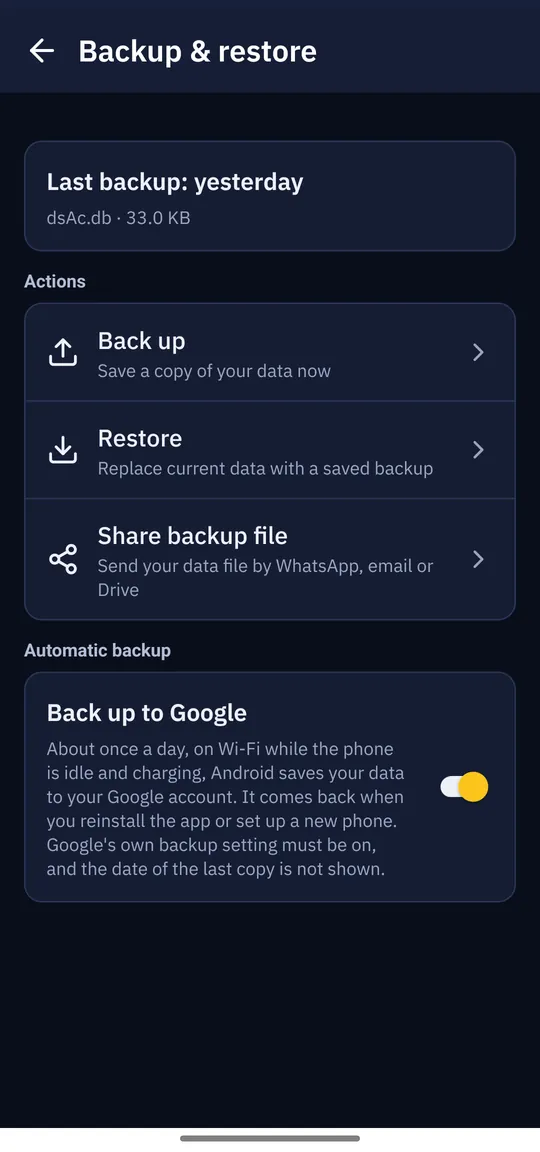
accsys asks for no permissions and has no account to sign in to. Data Spec never receives your data. To keep it safe, Android's own backup can keep a copy in your Google account, and you can also save a backup file wherever you like.

  • ✓Back up to Google: about once a day, and back automatically on a new phone. Switch it off any time
  • ✓Backup file to Downloads, an SD card or Google Drive, or send it on WhatsApp or email
  • ✓Safe restore: your current data is copied aside before a restore replaces it
  • ✓No accidents: Restore and Delete all data ask you to type a word to confirm

Made For

Anyone who gives and takes money and wants a straight answer about where it stands.

🏪 Shop owners 📦 Small traders & suppliers 🤝 People who lend and borrow 🧰 Contractors & freelancers 🏠 Household accounts 📒 Accountants & their clients

For everyday use

Gave, Got, To receive, To pay. Plain words, big numbers, and green and orange for money coming in and going out, with arrows too, so colour is never the only clue.

For accountants

Proper double entry on a standard chart of account groups. Payment, Receipt, Contra and Journal; two-sided ledgers with balance b/d and c/d; and a Trial Balance that agrees, including opening balances.

Growing business?

Need GST Invoices and Returns?

accsys keeps your books. When you need GST billing, e-invoices and full business accounting, Data Spec's dsGST is used by businesses across Chhattisgarh.

Explore dsGST →

Frequently Asked Questions

accsys logo

accsys · Hisab & Bookkeeping App

Get accsys on Google Play

Free, private and offline. Install it from Google Play, or update if you already use accsys: your data comes along. Questions? Message us on WhatsApp.

Get It on Google Play

Or write to info@dataspec.info · call +91-6266-50-8688 (Mon–Sat, 9am–6pm)