Coming soon on Google Play

Your Whole Billing Counter, On One Android Phone.

dsResto turns a phone and a Bluetooth receipt printer into a complete restaurant billing system. Tap the items, take cash or UPI, print the bill, and the next customer is already waiting. No computer, no cables, and no internet needed.

Built for small restaurants, cafés, dhabas and tiffin centres that want clean bills and honest numbers without a costly POS machine.
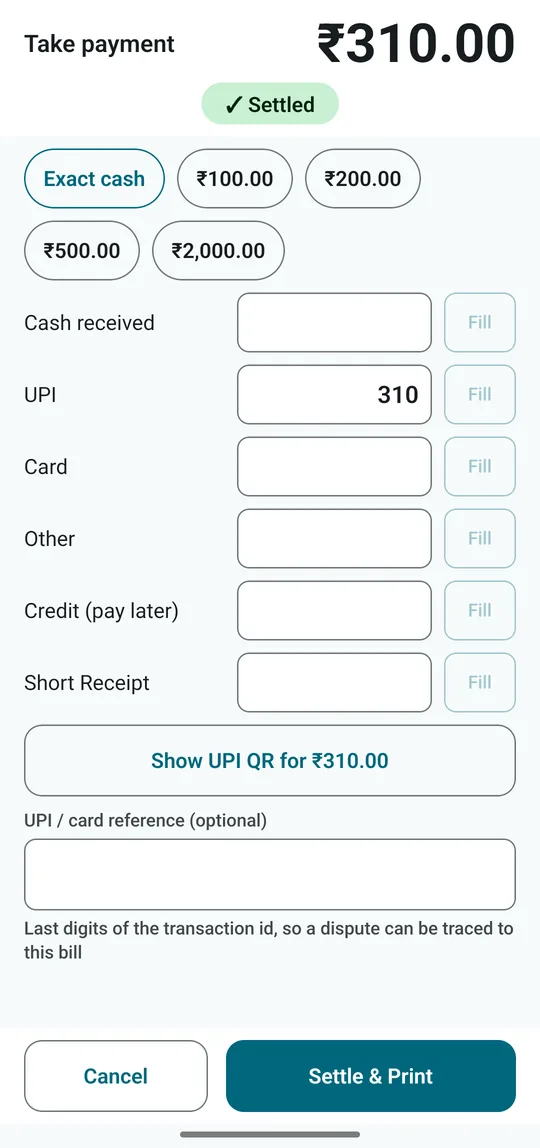
dsResto take-payment screen with a ₹310 bill paid by UPI
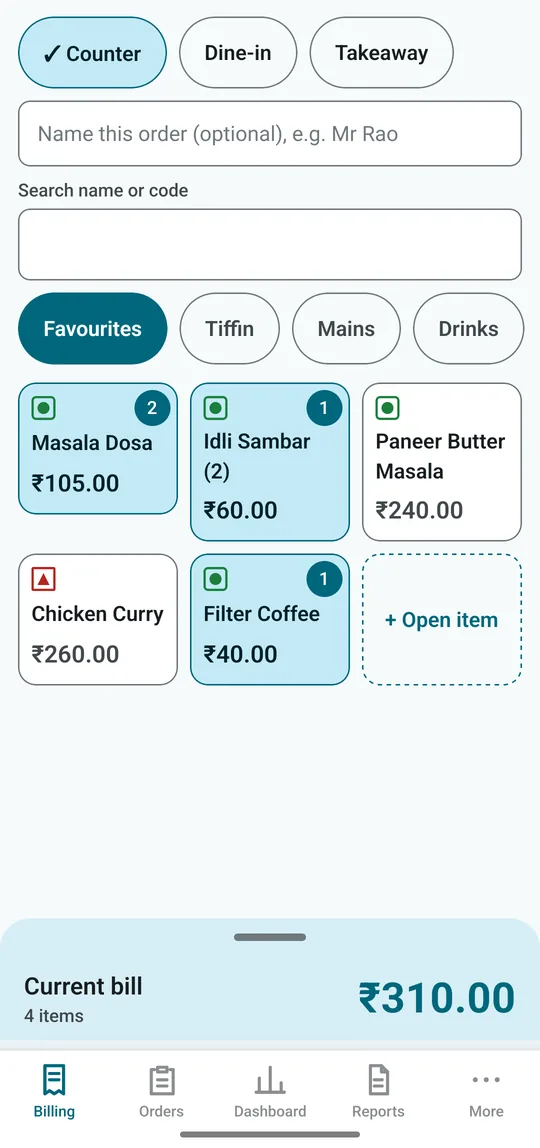
dsResto billing screen with menu tiles, quantity badges and the current bill
100% Offline
Data stays on your phone
58 / 80 mm
Bluetooth thermal printers
GST-Ready
4 tax modes incl. composition
UPI QR
On screen and on the bill

Sound Familiar at the End of the Day?

The small leaks every busy counter knows, and that a bill book can't stop.

"The network's gone again"

Cloud billing apps freeze just when the lunch rush hits. Customers wait, the queue grows, and someone starts writing bills by hand.

The drawer never matches

Cash, UPI, a little change kept back, ₹200 taken out for milk. By night, nobody can say why the count is short.

Quiet discounts and torn bills

A "friend's" discount here, a cancelled bill there. When you're not at the counter, you just don't know.

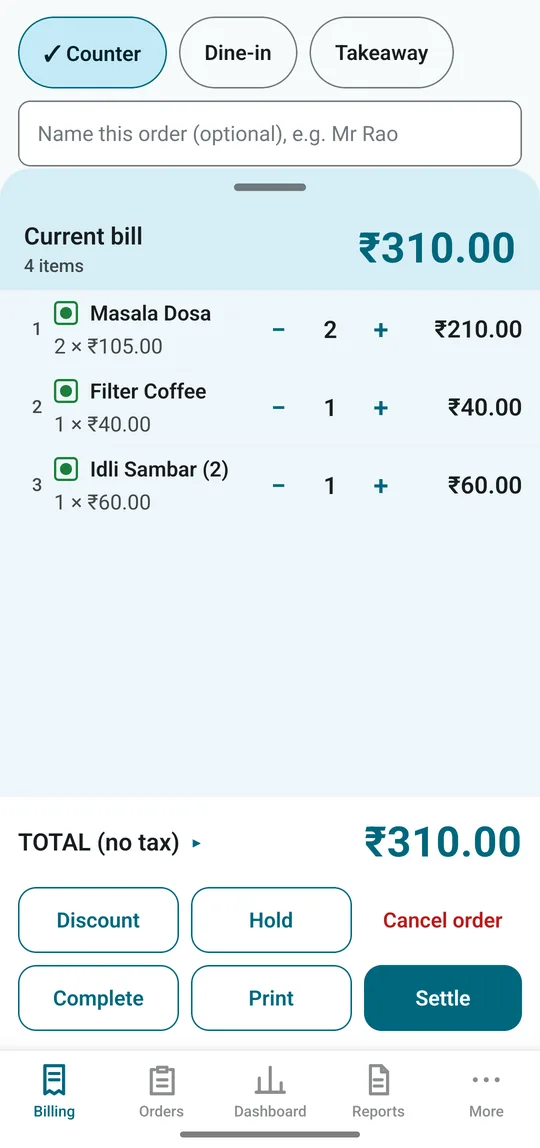
Current bill with quantities, total and Settle, Hold, Print buttons
Fast billing

Three Taps for the Items. One for Settle.

Your menu sits on big, finger-friendly tiles, with your best sellers under Favourites. Tap once to add, tap again for another. Veg and non-veg marks are on every tile. Search by name or item code when the menu is long.

  • ✓Counter, Dine-in or Takeaway, with your usual one pre-selected
  • ✓Hold an order on a table and add to it as the guests keep ordering
  • ✓Open item for anything not on the menu, saved for next time if you like
  • ✓Printer off? The bill is still saved. Reprint it from Orders later
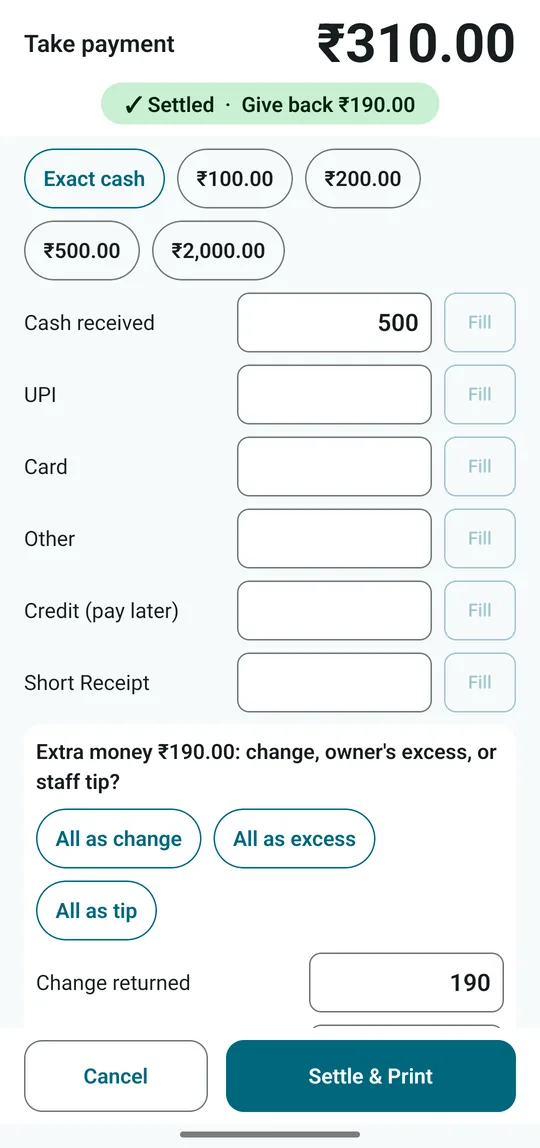
Take payment screen classifying extra cash as change, excess or tip
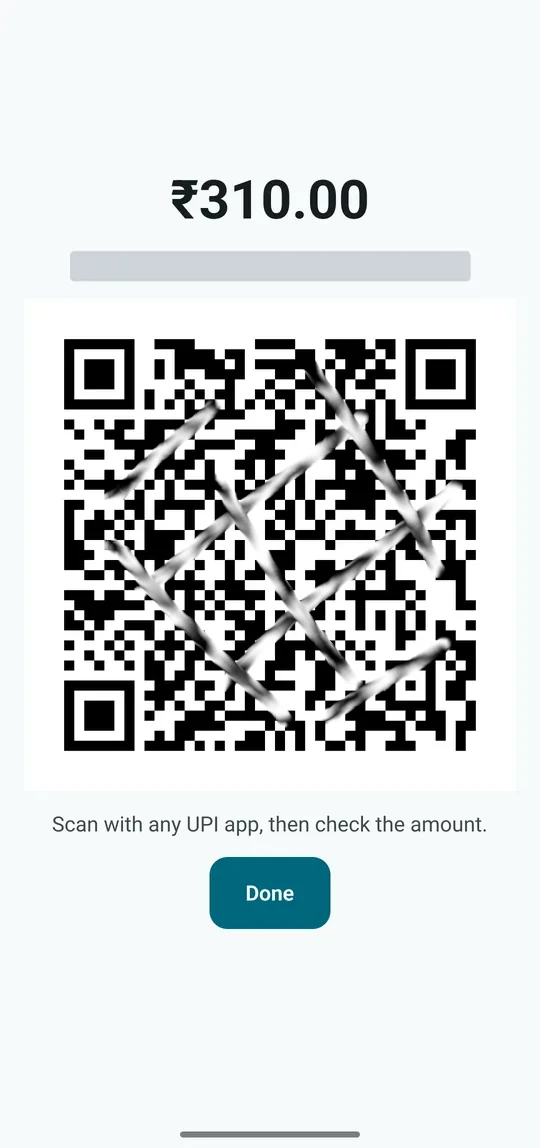
UPI QR code shown on screen for the guest to scan
Payments

Every Rupee Has a Name.

Cash, UPI, card or credit, or a split across all of them. Quick chips fill ₹100, ₹500 or exact cash in one tap. And when a guest hands over more than the bill, dsResto won't let it go until you say whether it was change, an excess you keep, or a tip for the staff.

  • ✓UPI QR for the exact amount on screen, and printed on the bill
  • ✓Credit customers with name and mobile, collected later from their ledger
  • ✓Cash out for milk, gas and small expenses, so the drawer still adds up
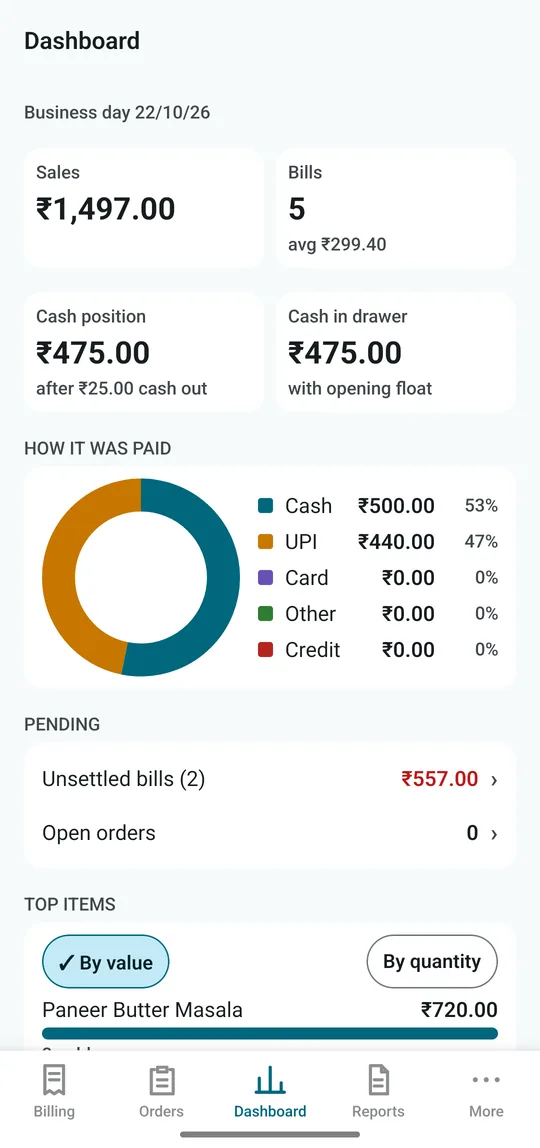
Owner dashboard with sales, bills, cash position and a payment-mode ring chart
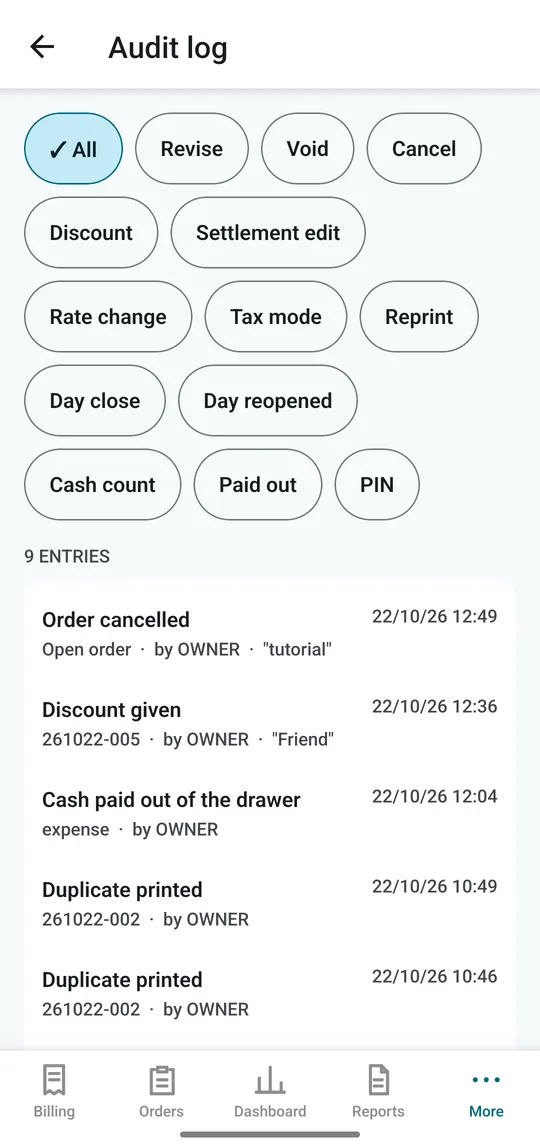
Audit log of cancelled orders, discounts and reprints with time and reason
Owner's view

Staff Bill All Day. Only You See the Takings.

Sales, reports and settings sit behind your owner PIN. Open the dashboard and see today's sales, bills, cash in the drawer and how it was paid, at a glance. A printed bill is never changed quietly: revisions, voids, big discounts and reprints all leave a record of who, when and why.

  • ✓Audit log that cannot be edited or deleted
  • ✓Reprints marked DUPLICATE on paper
  • ✓Discounts over 10% need your PIN and a reason

From First Order to Day Close

The whole day runs from the same five tabs.

  1. 01
    Order
    Counter, table or takeaway
  2. 02
    Items
    Tap tiles, adjust in cart
  3. 03
    Settle
    Cash, UPI, card or split
  4. 04
    Print & Share
    Receipt or PDF on WhatsApp
  5. 05
    Reports
    Item-wise, GST, tender
  6. 06
    Day Close
    Z-report and backup

Everything a Small Restaurant Needs

And nothing that slows the counter down.

Billing & Orders

  • Counter (token), Dine-in and Takeaway
  • Hold, print-now-pay-later, or settle
  • Discount by percent or amount, with a reason
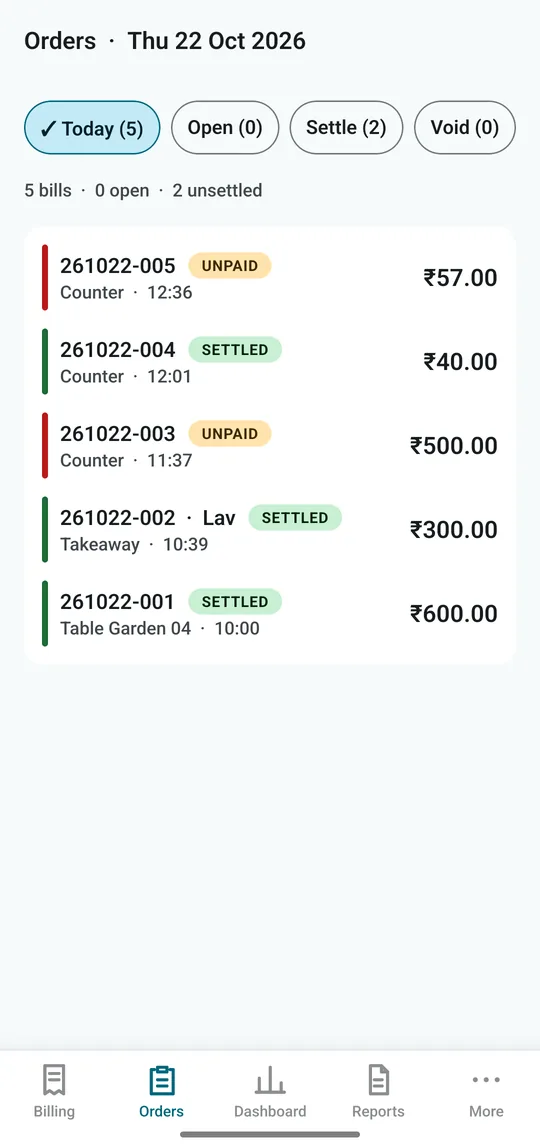
  • Bill numbers by date, e.g. 261022-005

Payments & Cash

  • Cash, UPI, card, other, credit, or a split
  • UPI QR on screen and on the printed bill
  • Change, excess and tips kept apart from sales
  • Cash out and live cash position

Dine-in & Tables

  • Tables grouped by section
  • Guest count and waiter on each order
  • Optional rule: no waiter, no bill
  • Open orders always one tap away

GST & Reports

  • No GST, GST extra, GST included or composition
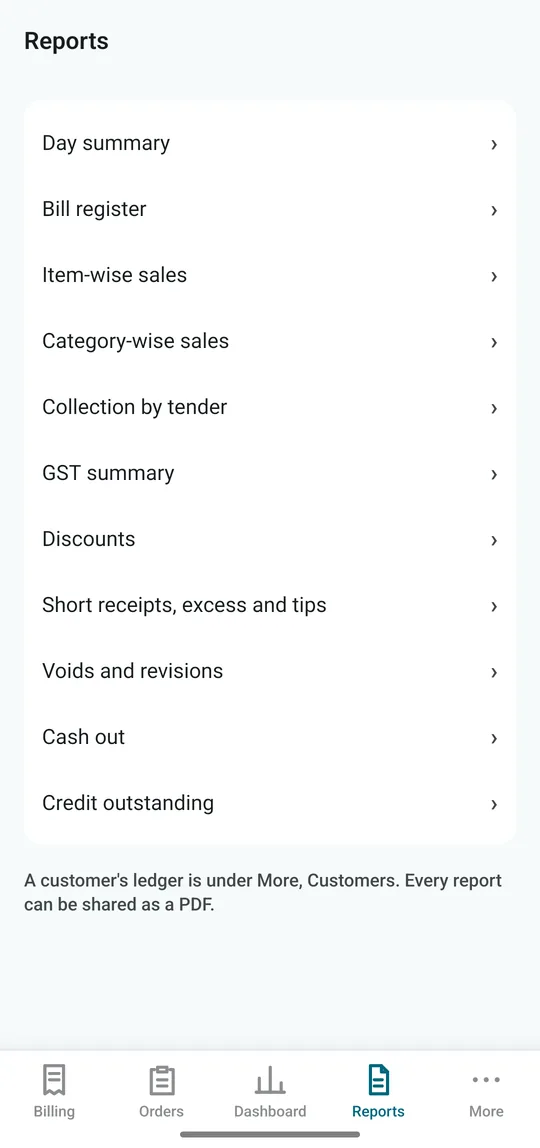
  • Day summary, item-wise and category-wise sales
  • GST summary and collection by tender
  • Every report shareable as a PDF

Owner Controls

  • Owner PIN on sales screens and settings
  • Revise or void a printed bill only with PIN and reason
  • Permanent audit log with filters
  • Customer credit ledger

Day Close & Backup

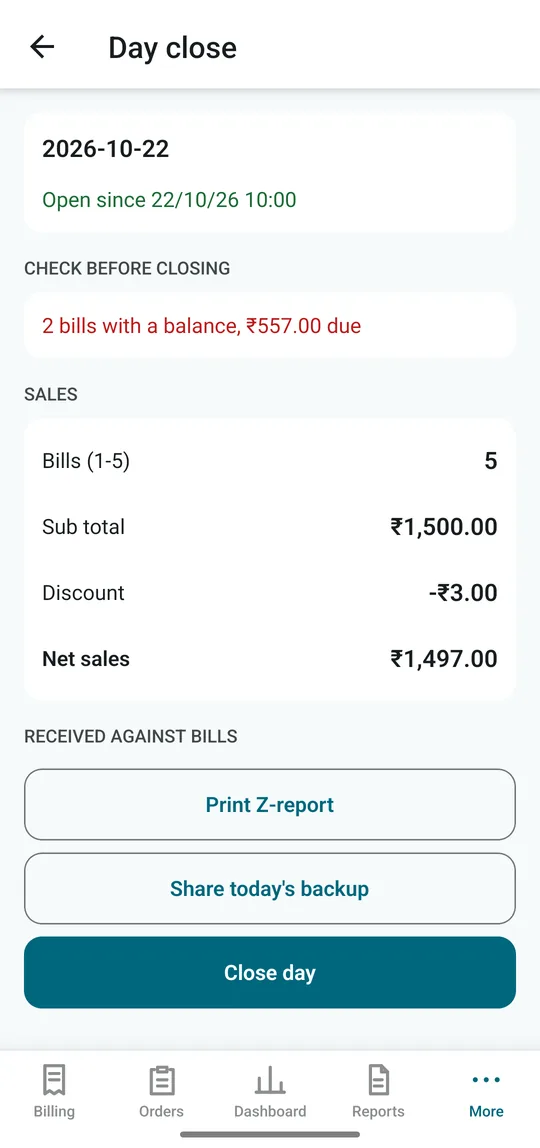
  • Warns about unpaid bills before closing
  • Printed Z-report of the day's totals
  • Automatic copy at every day close
  • Share a backup to WhatsApp, email or Drive

Made For

Places where one counter, one phone and one printer do the whole job.

🍛 Family restaurants ☕ Cafés & tea stalls 🛣️ Dhabas 🥘 Tiffin & South Indian centres 🥡 Takeaway counters 🍰 Snack & sweet corners

Your phone, your data

Bills, menu and customers live on your phone, not on someone else's server. No cloud login to forget, and nothing stops when the signal does.

Hardware you already have

An Android phone and a Bluetooth thermal printer, the 58 mm or 80 mm kind sold in every electronics market. No billing machine, no PC, no cables across the counter.

Free illustrated guide

Learn dsResto in 20 Minutes

From first-time setup and printer pairing to taking UPI, closing the day and restoring a backup. Every step, with real screens. Read it now, before the app reaches your phone.

Open the Tutorial

Frequently Asked Questions

dsResto logo

Be First When dsResto Lands on Google Play

Send us a WhatsApp message and we'll tell you the day it goes live. Run a restaurant and want to try it before everyone else? Ask to join the field trial.

Or write to info@dataspec.info · call +91-6266-50-8688 (Mon–Sat, 9am–6pm)