5. Tutor: tap a digit
The second way to use Tutor: pick a digit and ask where can it go? This is how you find the sure-spots, the safest moves on the board.
Choose a digit
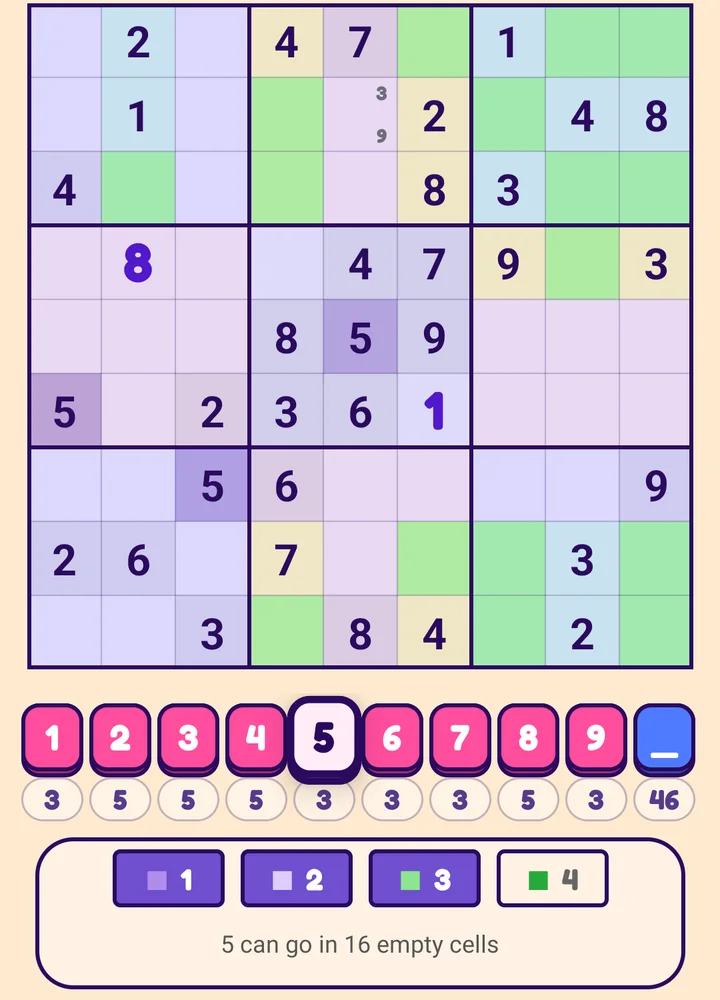
With Tutor on and no cell selected, tap a digit on the pad. It gets a pale button with a thick frame, and the panel shows four numbered buttons: 1 2 3 4.
(If a cell is selected, tap it again first to deselect it; otherwise a pad tap places the digit.)
Tap the same digit again to finish.
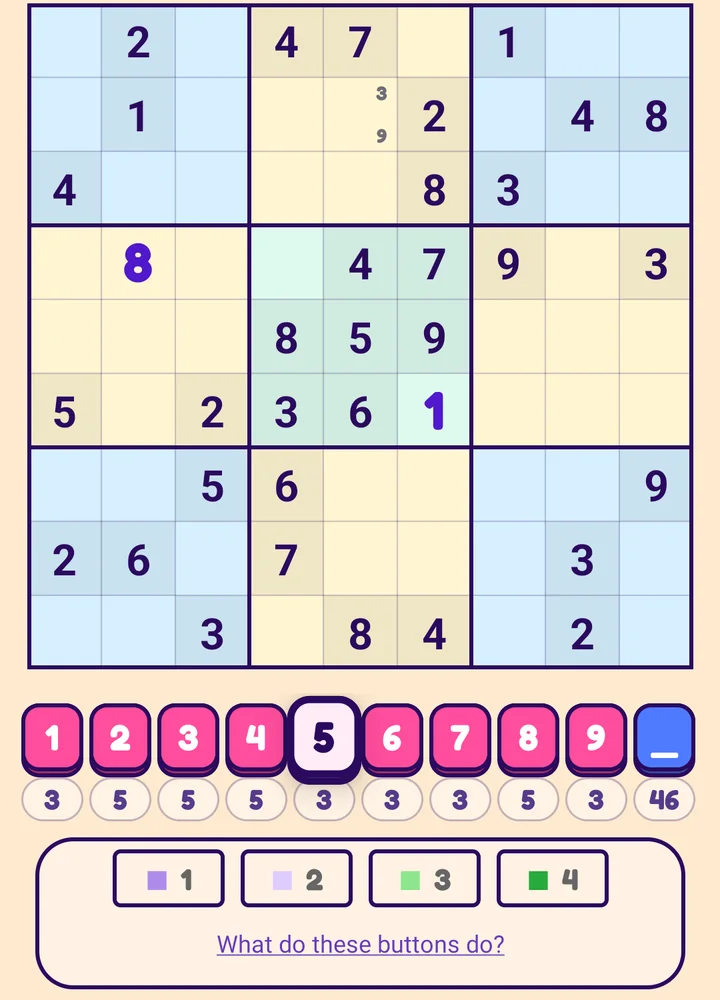
1 Where
Marks every cell that already holds that digit.
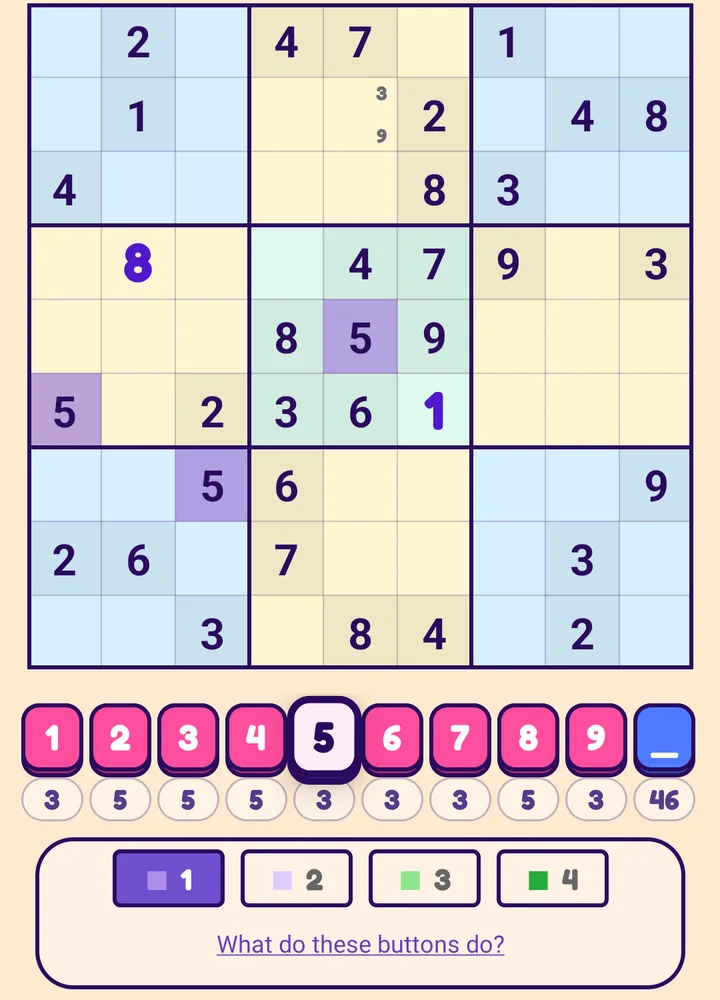
2 Covers
Shades every row, column and box that already contains it. The digit cannot go in a shaded cell.
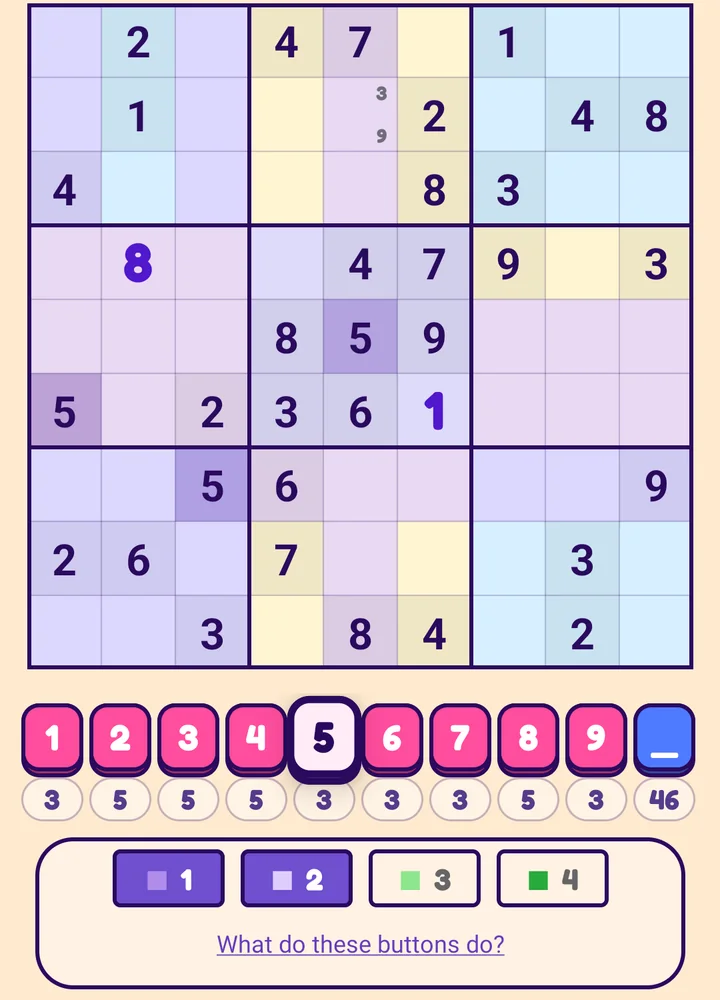
3 Can go
Shows in green only the empty cells where the digit can still go. The line under the buttons counts them: 5 can go in 16 empty cells.
4 Must go
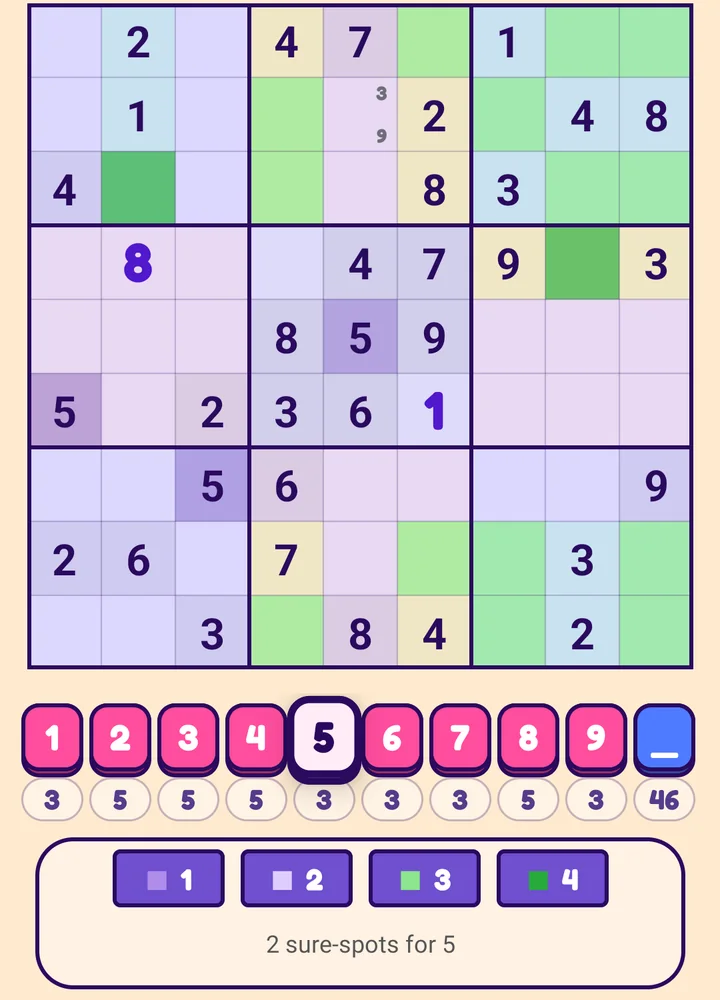
Of those green cells, marks in dark green the sure-spots: cells that are the only free place for the digit in their row, column or box. The digit has to go in a sure-spot, so these are your safest moves. The line counts them: 2 sure-spots for 5. If there are none it says No sure-spot for 7; try another digit.
Placing and clearing with a digit chosen
- Tap an empty cell to place the chosen digit there. The digit stays chosen, so you can place it in several cells.
- Tap a cell that already shows it to clear it again.
- Tap another digit to switch, or the same digit to finish.
- Choose the blank _ button instead and tap cells to clear them (an eraser tool). Tap _ again to finish.
- Cells that came with the puzzle never change.
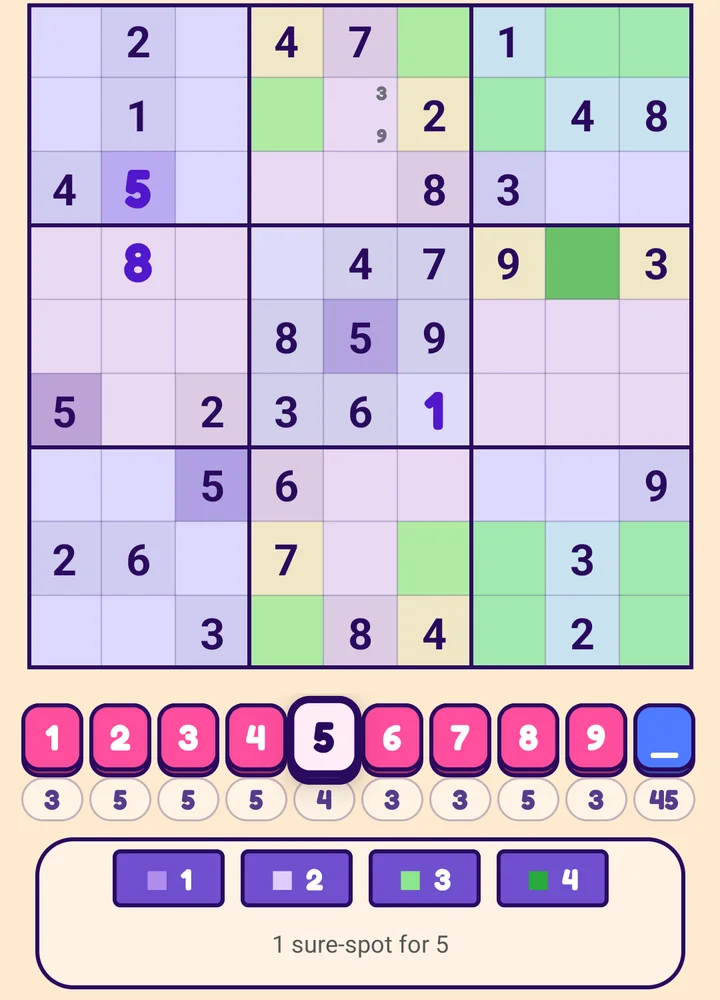
Here a 5 was placed in a sure-spot, and the panel now says 1 sure-spot for 5.
Next: Challenge