
10. Cash out and day close
Two small habits keep your accounts correct: write down money taken from the drawer, and close the day every night.
Cash out: money taken from the drawer
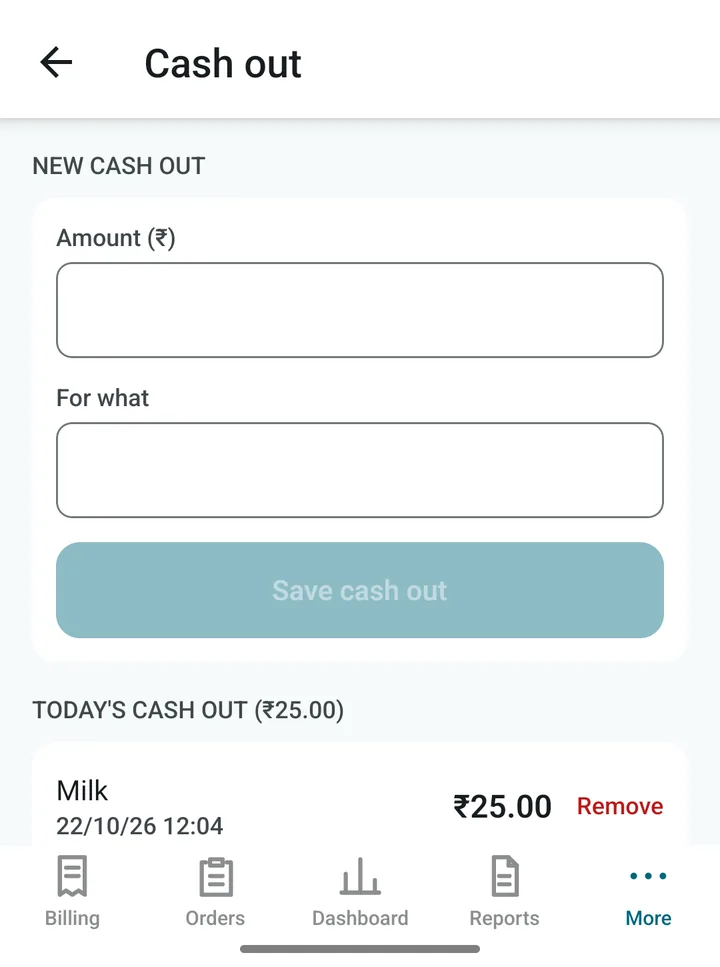
You bought milk or gas from the drawer money. Write it down so the cash in the app matches the cash in your hand.
- Open More › Cash out.
- Type the amount and what for.
- Tap Save cash out.
Today’s entries are listed below. Made a mistake? Tap Remove (needs the PIN). Cash out lowers the Cash in drawer figure and appears in the Cash out report.
Day close: the end-of-day routine
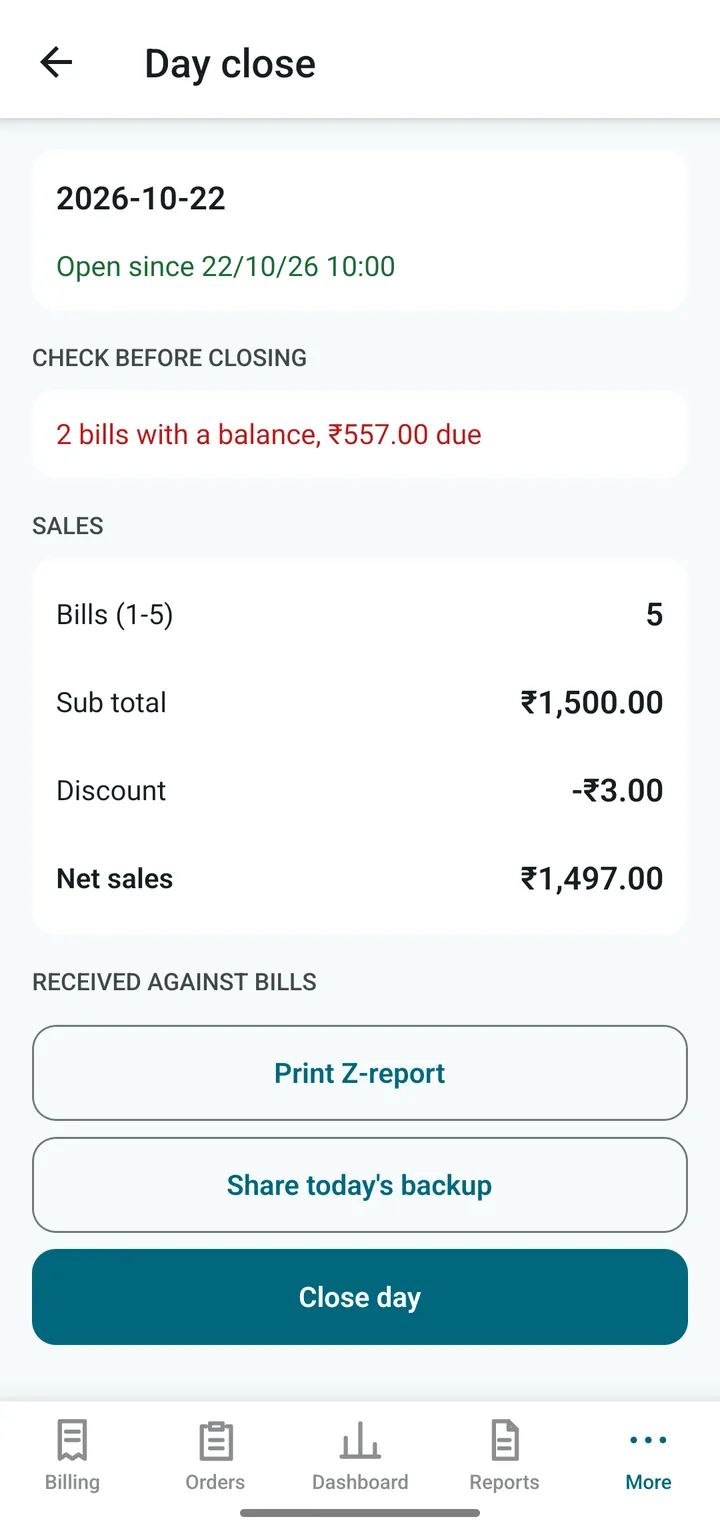
Open More › Day close.
- Check before closing warns you about bills not yet paid or orders still open. Fix them if you can.
- Look at the Sales summary: number of bills, discounts, tax and net sales.
- Drawer cash: count the cash in the drawer and type it under Cash counted. Tap Save cash count. The app tells you if you are short or over.
- Tap Print Z-report for a printed summary of the day.
- Tap Backup in the top bar to send a copy of your data out of the phone (needs the PIN).
- Tap Close day. Tomorrow’s bills start again from number 1.
Tip. A copy of your data is also kept on the phone at every Day close. But a copy that stays only on the phone is lost with the phone. Share one out as well, see Backup and restore.
If you chose automatic days in Settings, the app starts a new day by itself at your cutoff time. Day close is still the best moment to count the drawer and print the Z-report.