
8. Orders and bills
Every bill you make is kept here. Use this tab to find a bill, print it again, share it, or correct it.
The Orders list
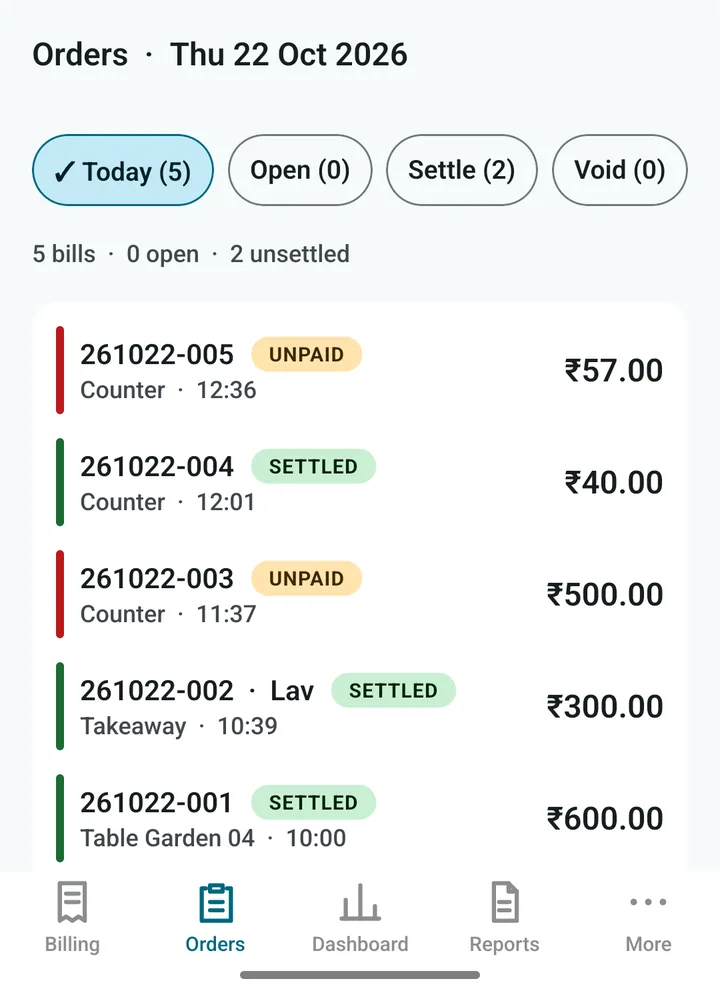
The tabs at the top:
- Today: all of today’s bills.
- Open: orders being held, such as tables still eating.
- Settle: bills that are made but not paid yet.
- Void: bills that were cancelled.
Each row shows the bill number, SETTLED or UNPAID, the type of order, the time and the amount. A bill number like 261022-005 means year 26, month 10, day 22, bill number 5 of that day.
Inside a bill
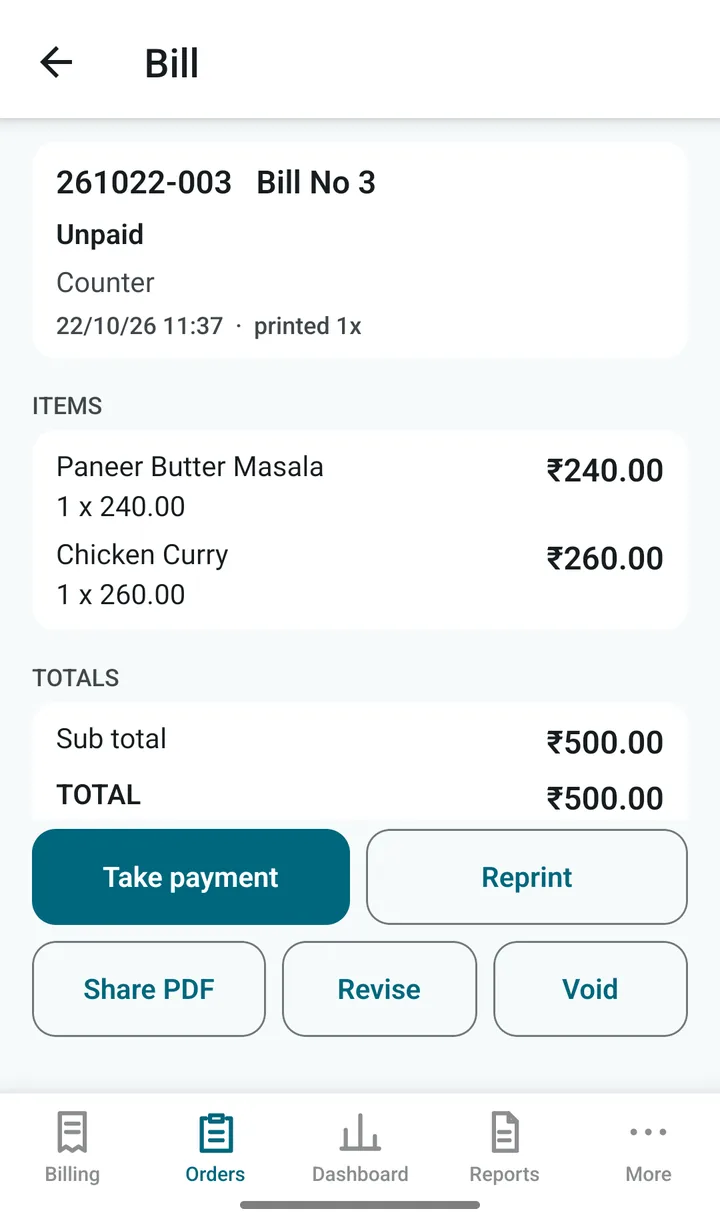
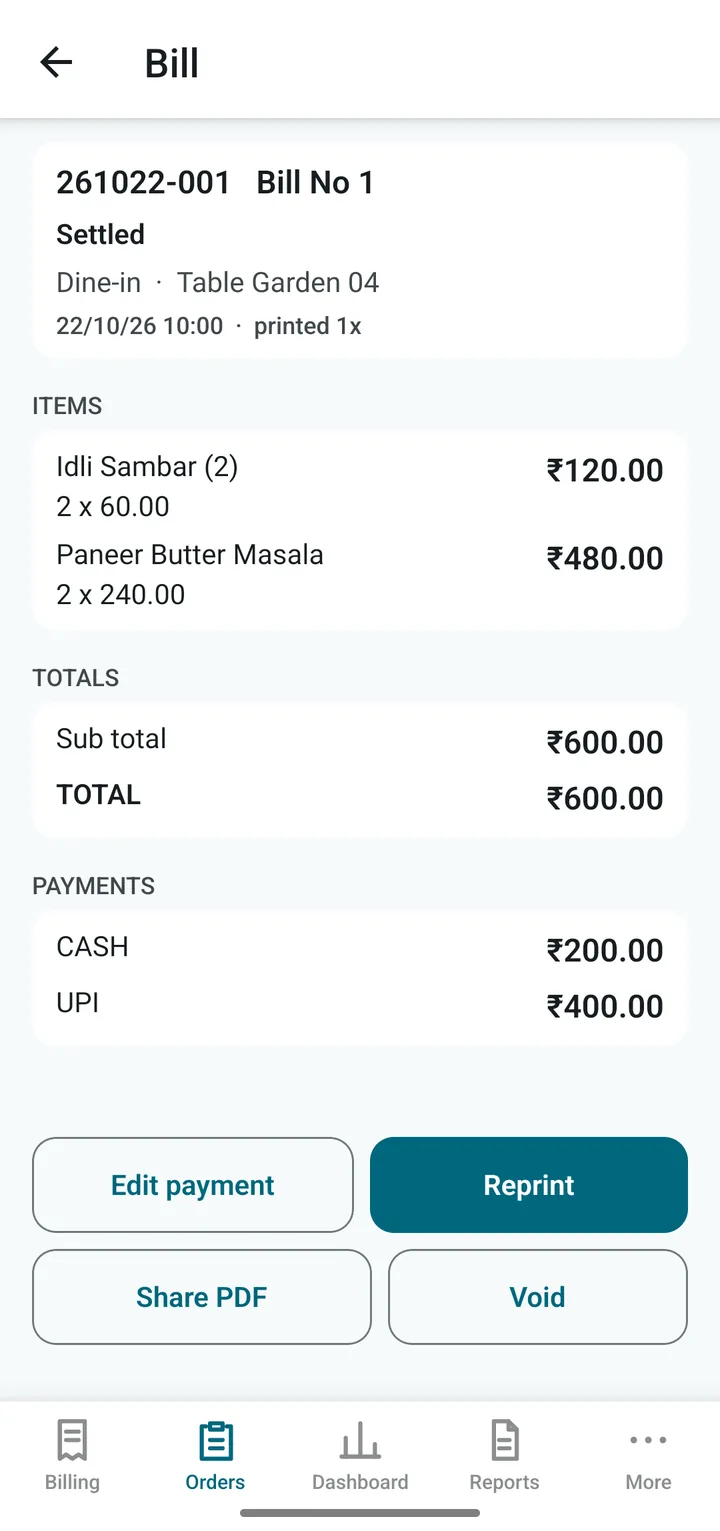
Tap a bill to open it. The buttons at the bottom:
- Take payment: for an unpaid bill.
- Edit payment: change how a bill was paid (needs the PIN).
- Reprint: print it again. The paper says DUPLICATE.
- Share PDF: send the bill by WhatsApp, email or any app. If the customer’s mobile number is on the bill, Send on WhatsApp opens the chat straight away.
- Revise: correct a printed bill, for example a wrong quantity (needs the PIN and a reason).
- Void: cancel a printed bill (needs the PIN and a reason).
Careful. A printed bill is never changed quietly. Revise and Void leave a record of who did it and why, in the audit log. After the day is closed, a bill can no longer be voided. Ask your accountant how to handle it.