
2. First-time setup
Do this once, before your first customer. It takes about ten minutes.
Open More › Settings. The app asks for your owner PIN. If you have not set a PIN yet, set one first.
Step 1. Your restaurant details
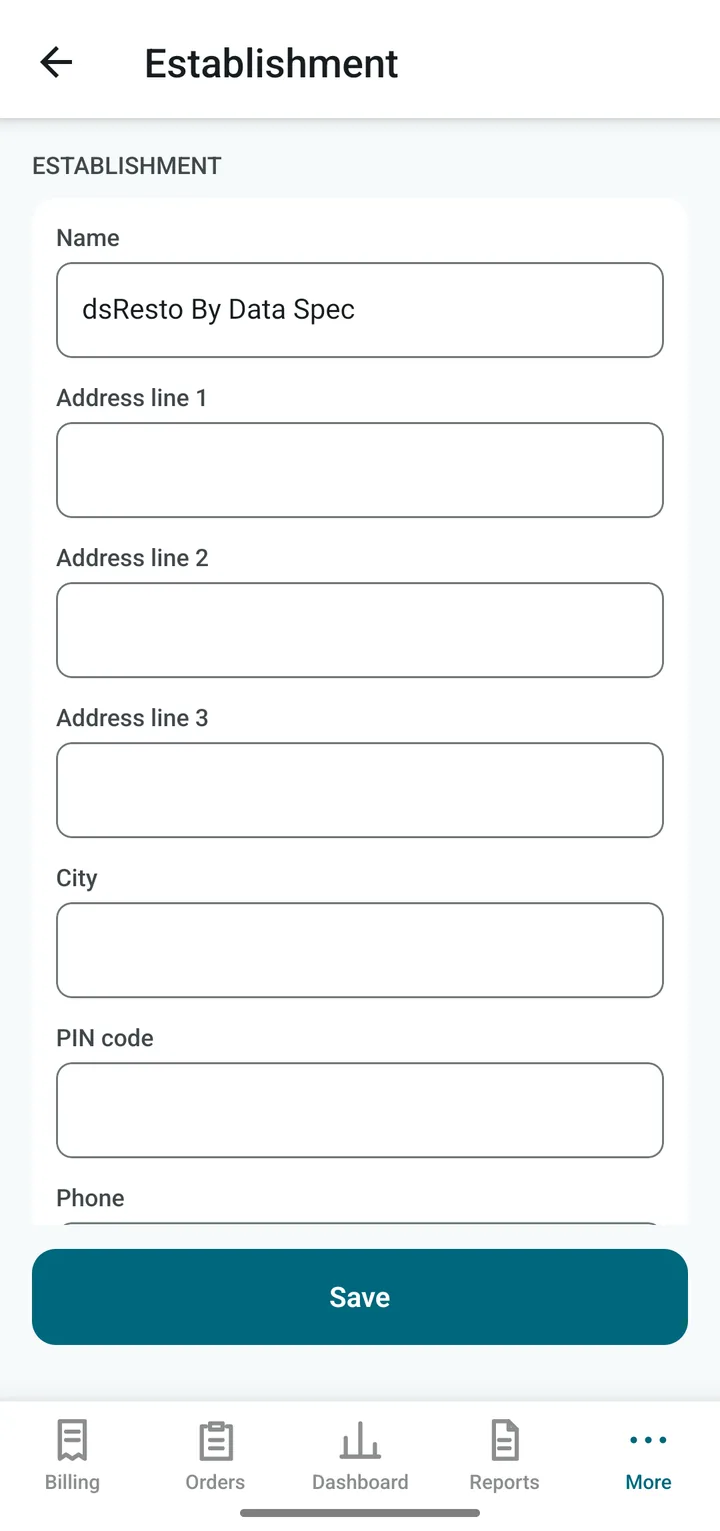
Tap Establishment and fill in:
- Name, address, phone, email: these are printed at the top of every bill.
- GSTIN: only if you are registered for GST. FSSAI licence number: if you have one.
- UPI ID: your payment address, such as myshop@bank. With it the app can show a QR code for customers to scan and pay. Leave blank if you do not take UPI.
- Header and footer lines: extra lines on the bill, such as “Thank you, visit again”.
Tap Save.
Step 2. How do you charge GST?
Tap Tax and billing. The first choice is the Tax mode:
| Choice | Choose it when |
|---|---|
| No GST | You are not registered for GST. The bill is a plain “BILL” with no tax lines. |
| GST extra | Your menu prices are before tax. The app adds GST on top. |
| GST included | Your menu prices already contain tax. The bill shows how much of the price is tax. |
| Composition | You are in the GST composition scheme. No tax is charged; the bill is a “Bill of Supply”. |
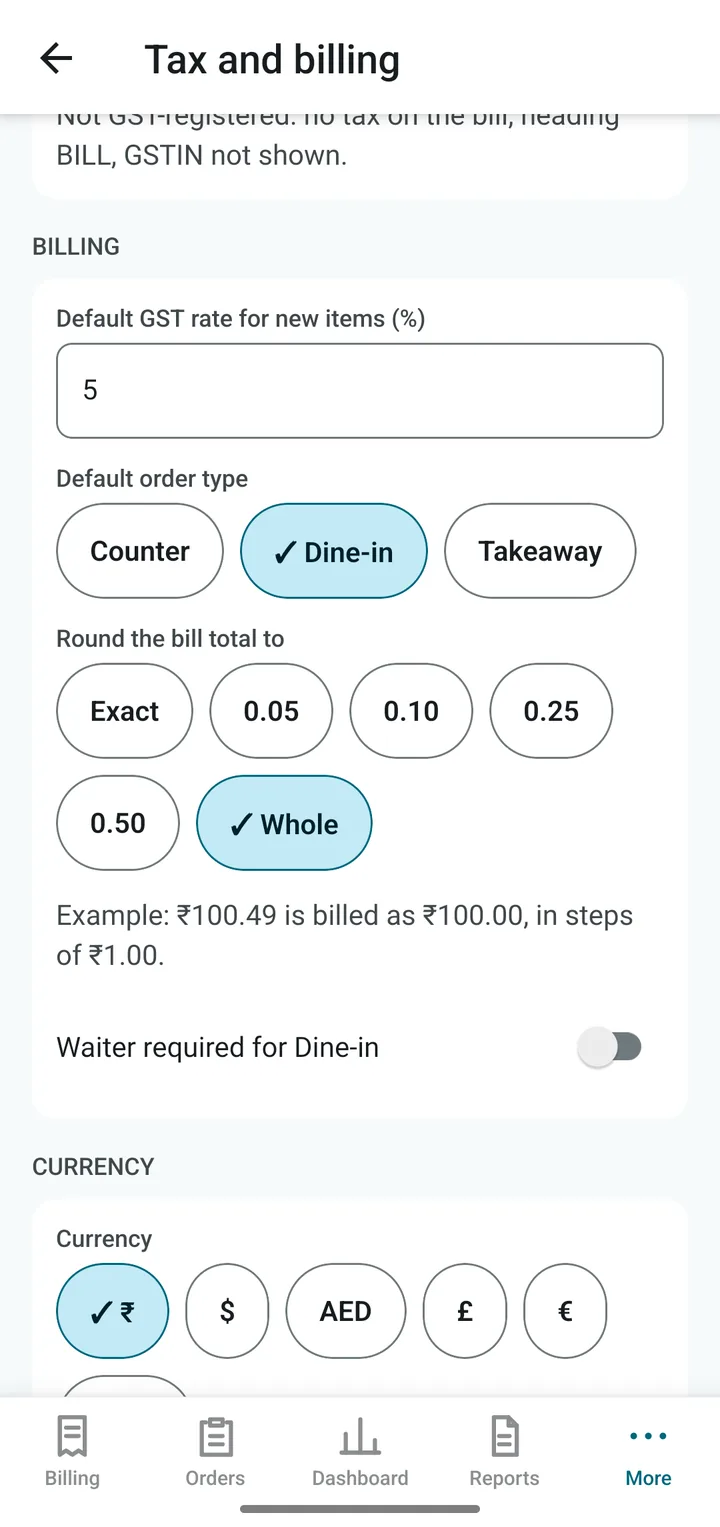
Further down, Payment types lets you switch Card and Other on or off, and rename Other (for example, “Zomato Pay”). Under Billing you can also set the default order type (Counter, Dine-in or Takeaway), whether a waiter is required for Dine-in, and the round-off (for example, round every bill to the nearest rupee).
Step 3. Your money symbol
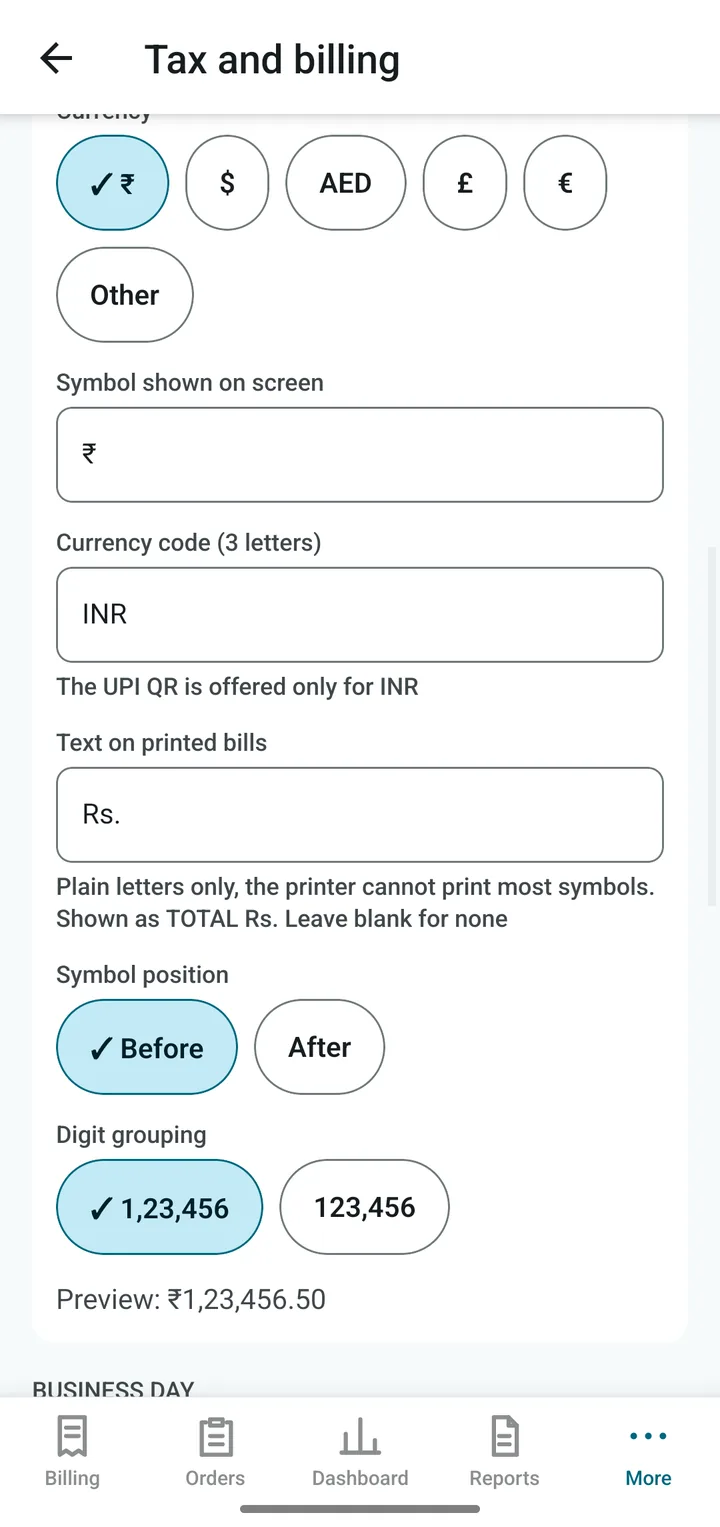
Further down, under Currency, pick ₹ (rupee), $, AED, £ or €. You can also type your own symbol and 3-letter code.
- Symbol position: before or after the number.
- Digit grouping: 1,23,456 (Indian style) or 123,456.
- Text on printed bills: printers cannot print most symbols, so the paper shows plain letters such as Rs.
The UPI QR code is offered only when the currency is INR.
Step 4. The business day
Still on Tax and billing, look at Business day. The day cutoff time decides when a new day begins. If you stay open past midnight, set it to a few hours after closing (for example 04:00) so late bills still count for the same day. You can also let the app start a new day by itself at the cutoff time, or keep the day open until you close it.
The cash float is the small change you keep in the drawer at the start of each day. Enter it here and the app counts it when it works out the cash you should have.
Next: Connect the printer