14. Free trial and subscription
You can try dsResto free for 14 days with everything switched on. After that, a subscription keeps it going.
During the free trial
Open More › Subscription. It shows how many trial days are left, for example Free trial: 9 days left. All features work. When the trial is almost over, the app reminds you.
How to subscribe
- Open More › Subscription.
- Under Plans choose monthly or yearly. The price you see there is the price you pay.
- Google Play opens and asks you to confirm. Pay with the method you normally use on Google Play (UPI, card or Play balance).
- The screen then says Subscribed. Thank you!
The subscription renews by itself each month or year until you cancel. Google Play takes the payment, not Data Spec. We never see your card or UPI details.
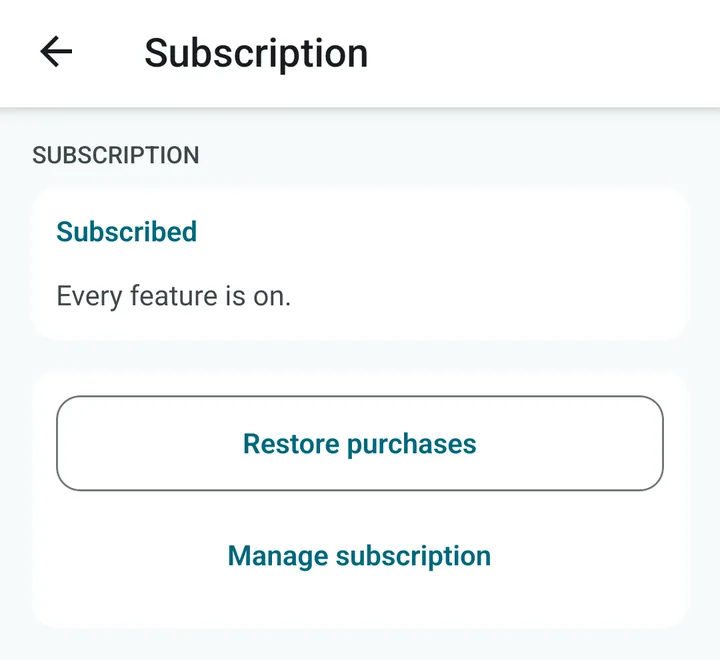
After you subscribe, the Subscription screen says Subscribed and Every feature is on. Restore purchases brings the subscription back on a new phone. Manage subscription opens Google Play, where you can cancel.
If the trial ends and you have not subscribed
The app becomes read-only. A red strip appears at the top. Your data is safe and nothing is deleted. In read-only mode you can:
- look at all your bills and reports, and reprint any bill,
- share bills and reports as PDF, and make backups,
- close the day and print the Z-report.
You cannot make new bills, change the menu, tables or settings, or void bills. All of that comes back the moment you subscribe.
Cancel, change phone, or a problem
- Cancel: tap Manage subscription on the Subscription screen. It opens your subscriptions in Google Play, where you can cancel any time. You keep the app until the period you paid for ends.
- New phone: sign in to Google Play with the same Google account and tap Restore purchases.
- Plans do not show: check the phone is online and signed in to Google Play, then tap Try again.
- Message about Google Play not reachable: connect the phone to the internet once. dsResto checks with Google Play now and then to confirm the subscription. You have a few days to do it.